Every disposable inbox service eventually gets the same request: can the address last longer. The answer is a TTL, and choosing it is a real design decision rather than an arbitrary number. Get it too short and legitimate flows break silently. Get it too long and the service accumulates data it never needed, on a domain it does not want to keep answering for.
Three things a TTL controls at once
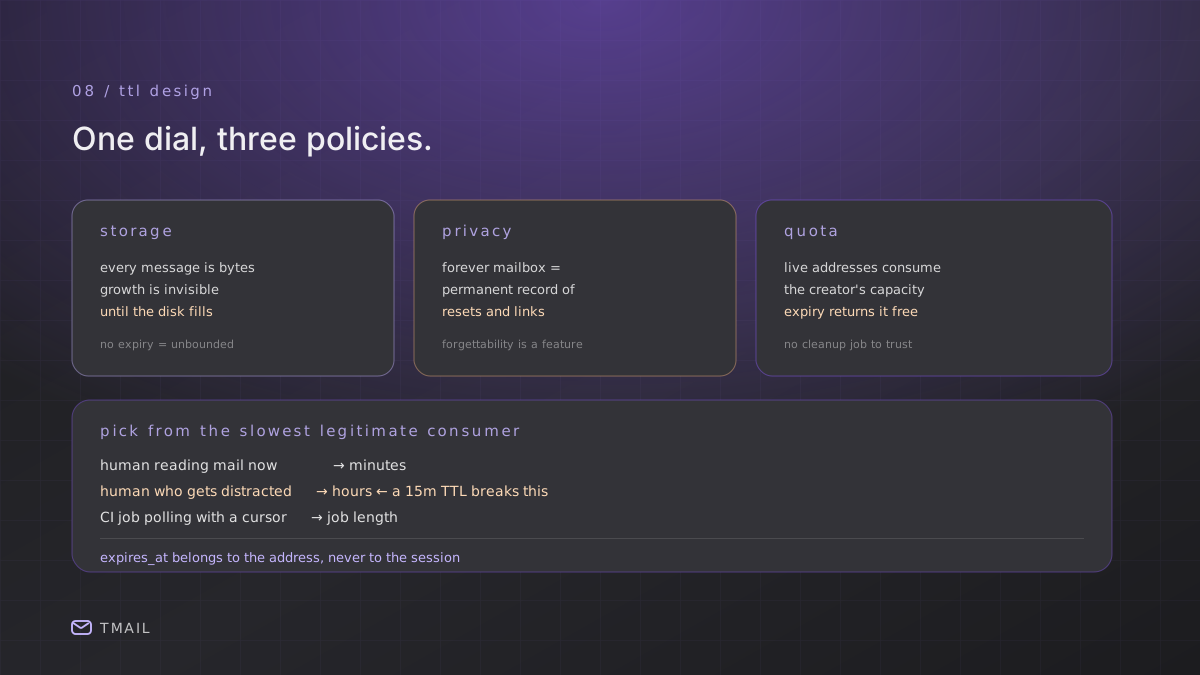
Address expiry is usually discussed as a storage policy. It is actually three policies with one dial:
- Storage. Every retained message is bytes on disk. A service minting thousands of addresses a day with no expiry grows without bound, and the growth is invisible until the disk fills.
- Privacy exposure. A mailbox that lives forever is a permanent record of every message sent to it, including password resets and confirmation links. Short retention is the difference between a service that forgets and a service that remembers.
- Quota. Live addresses consume the address quota of whoever created them. Expiry is what returns capacity automatically, without a cleanup job that might not run.
tmail's own tiers make the trade-off explicit: guests get addresses measured in minutes, the free plan gets 24 hours of retention, and the largest plan stretches retention to 720 hours. The number of live addresses is capped separately per plan, which is why an address that expires on its own is worth more operationally than one that needs manual deletion.
Choosing the number
There is one question that determines a TTL, and it is not "how long does delivery take." It is: how long does your slowest legitimate consumer need the address to exist?
Work backwards from consumption, not delivery:
- A human signing up for a trial and reading the email: minutes.
- A human who starts a signup, gets distracted, and comes back: hours. This is the case that a 15-minute TTL breaks, and it breaks silently. The address is simply gone when they return.
- An automated test suite polling with a cursor: the length of the job, which might be a long CI run.
- A person using the address as a throwaway for a service they intend to keep using for a week: days.
Set the default at case 2 if humans are the primary user, and case 3 if machines are. Everything above that is a paid feature, for the simple reason that a longer TTL is a larger storage commitment.
Why expiry must be per-address, not per-session
This is where implementations get subtle, and it is worth stating because it produces a confusing class of bug. If expiry is stored per session rather than per address, then creating a new address can appear to reset the timer on existing ones. The UI reads whatever the newest expiry is and paints it everywhere. The data is not wrong; the display is.
The rule: expires_at belongs to the address, and every surface that shows a timer must read the expiry of the specific address being displayed. A shared timer across mailboxes is always a bug, and it is one that only shows up when two addresses have different lifetimes. Which is to say, in production and never in a demo.
The same rule applies to deletion. An address whose expiry has passed should stop appearing, stop accepting mail, and stop counting against quota. A service that hides expired addresses but keeps counting them produces the worst outcome: users see free capacity that they cannot use.
Testing expiry without waiting
You cannot reasonably wait out a 24-hour TTL in CI, so test the mechanics rather than the duration:
- Assert
expires_atis returned and is in the future on creation, and that it differs between two addresses created at different times. - Assert the clamp: request a TTL below a plan's floor and confirm the stored expiry uses the floor, not the request.
- Assert the display reads the right address after switching between two mailboxes with different expiries. This is the test that catches the shared-timer bug.
- Assert an expired address is gone by writing a past expiry directly and confirming the address no longer appears and no longer counts.
All four run in seconds and cover every failure mode that a real clock would reveal, except the clock itself.
The takeaway
A TTL is a storage, privacy and quota policy in one number. Pick it from the slowest legitimate consumer rather than the fastest delivery, store it per address rather than per session, make every timer read the address it belongs to, and test the clamp and the switch rather than trying to wait out the clock.